CalNote
A calendar app that shows your iPhone Calendar and Reminders as a leather-bound paper planner
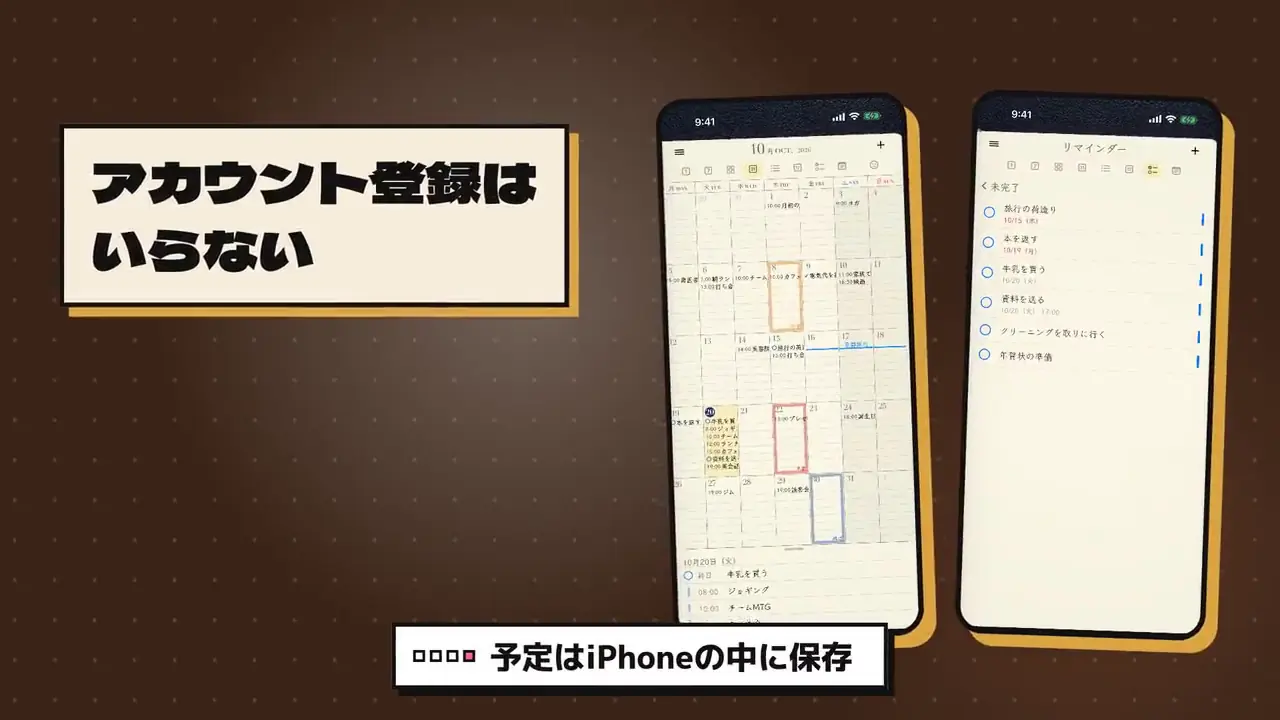
Events from your iPhone Calendar and Reminders are laid out automatically in a leather-bound planner, and you flip through the pages to see them. You add plans by tapping and typing on the keyboard, and decorate important days with stickers and markers. No Apple Pencil or account is needed.
@atsushi_apps- Your usual plans, as a planner
- Stickers and markers for important days
- Reminders and notes in the planner too
- Platforms
- iPhone (iOS 17.0 or later)
- Price
- Free, with in-app purchases: Premium (monthly) ¥300, Premium (one-time) ¥3,000 and more (Japanese App Store)
Features

Your usual plans, as a planner
Events and reminders in your iPhone calendars are laid out on ruled paper pages.
Plans you add are saved straight to the iPhone Calendar, so you can keep using other calendar apps alongside it.
Swipe sideways and the paper curls as the page turns.
Stickers and markers for important days
Markers look like a highlighter traced around the date box, come in five colors, and can carry a short note such as "Deadline" or "Big day".
Stickers go next to the date, and a new kind of sticker is added for every 7 days you open the app.
Stickers and markers are free.
Reminders and notes in the planner too
The Reminders page shows Today, Overdue, No Due Date, Incomplete, Completed and each of your lists, with counts.
Pick one on the left page and its contents open on the right page.
The Notes page keeps things you look back at often, like phone numbers or packing lists, along with photos.
Screenshots
Pricing and availability
- Where to get it
- App Store
- Price
- Free, with in-app purchases: Premium (monthly) ¥300, Premium (one-time) ¥3,000 and more (Japanese App Store)
- Platforms
- iPhone (iOS 17.0 or later)
Maker
The official site, Daily Apps, says every app is built by one developer.
It also says the apps cover habits, goals, daily to-dos, photos and notes, and are currently made for iPhone.
FAQ
What can I use for free?
The month page, Reminders page, Notes page, stickers, markers, sticky notes, bookmark, templates, look settings, Face ID lock, and the small Home Screen and rectangular Lock Screen widgets are free.
Premium adds the two-page week, weekly grid, day and year pages, the monthly list, your own stickers and the other widgets.
How much is Premium?
You can choose monthly (¥300), yearly (¥1,800, with a 7-day free trial) or a one-time purchase (¥3,000).
Monthly and yearly are auto-renewing subscriptions.
You can also buy pages and features one at a time as one-time purchases for ¥800 or ¥500.
These are the prices on the official site as of November 2026.
Where is my data stored?
Events and reminders are saved straight to the iPhone Calendar and Reminders.
Notes and photos, stickers, markers, sticky notes and settings are stored on the device, and none of it is sent to the developer's servers.
Do I need an account or an Apple Pencil?
No, neither.
You add plans by tapping and typing on the keyboard.
Press and hold or double-tap an empty spot in a date box or on the time axis, and a new event opens with that date and time filled in.
Does it show ads?
The official site says it shows no ads.
It also says the app does not analyze usage or track you.
CalNote
A calendar app that shows your iPhone Calendar and Reminders as a leather-bound paper planner
Visit the official page