SEPPAN
A bill-splitting app that works out who pays whom and how much from the shared expenses you record
A bill-splitting app for recording shared expenses as a group, for drinks, trips, events and shared houses. It works out each member's balance and the fewest transfers needed to settle up. Costs can be split equally, by set amounts or by ratio. It has no ads and is free to use.
@katy__games- Keep track of expenses as a group
- Settle up in the fewest transfers
- Monthly settlement history
- Platforms
- iPhone (iOS 15.0 or later), Japanese only
- Price
- Free (Japanese App Store)
Features
Keep track of expenses as a group
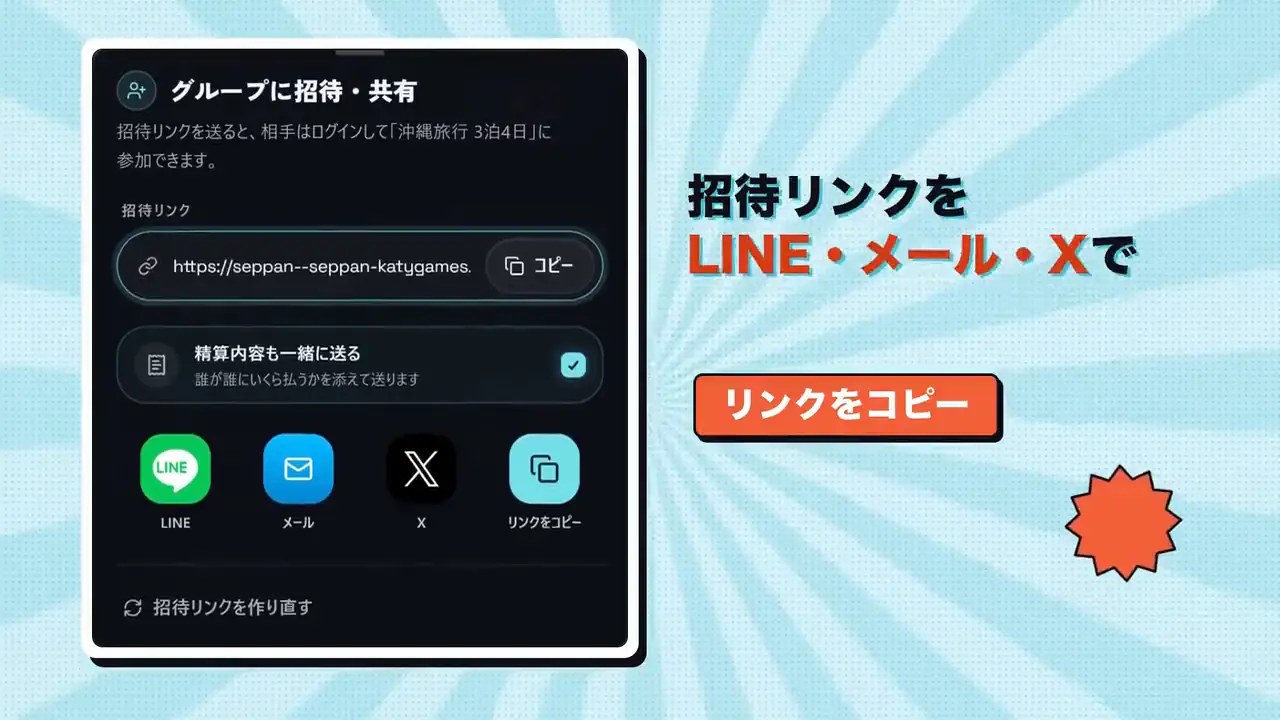
Make a group for drinks, a trip or a shared house.
Members can be added by name alone, even friends who do not use the app.
Send an invite link by LINE, email or X and friends join the group.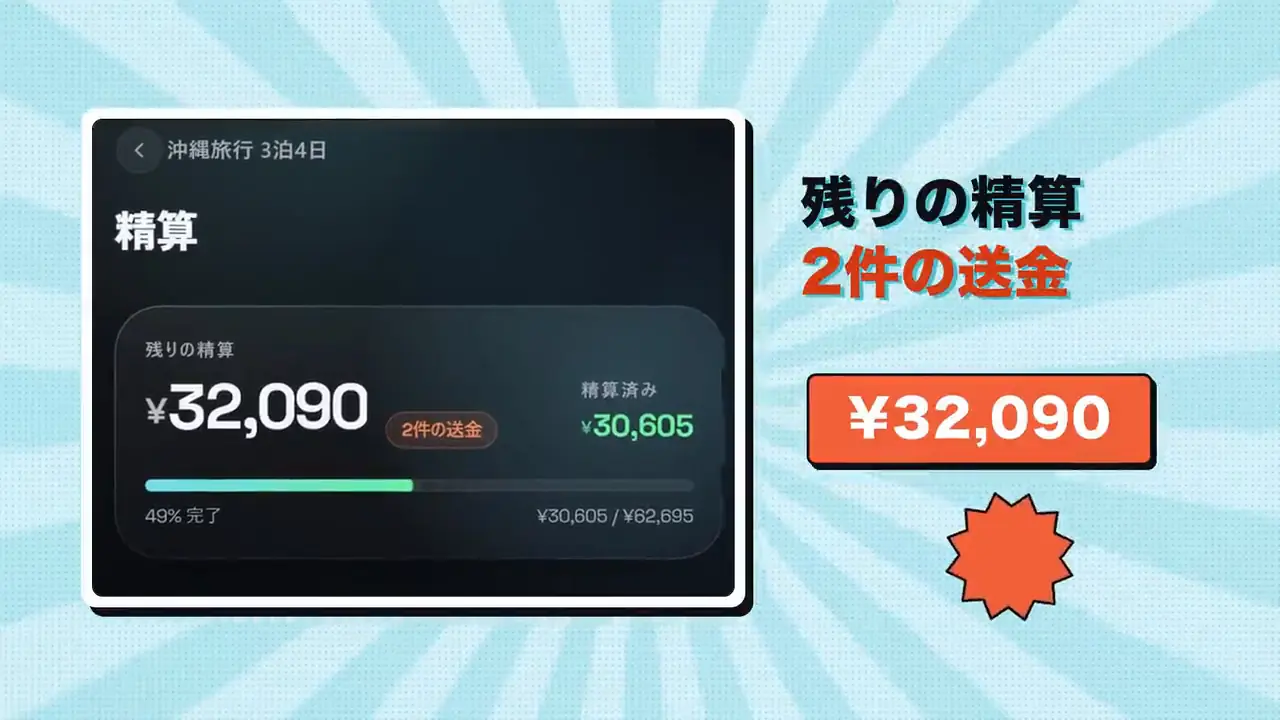
Settle up in the fewest transfers
It suggests a way to settle up with as few transfers as possible.
It shows how much each member pays or receives.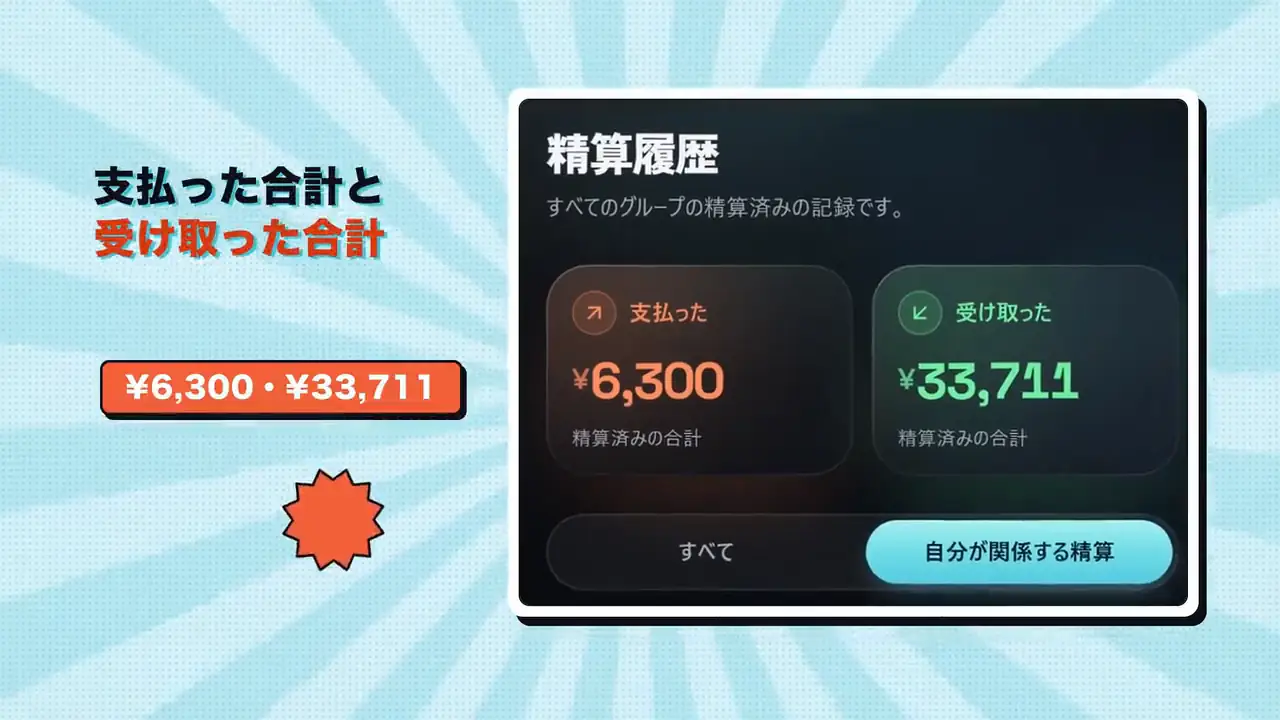
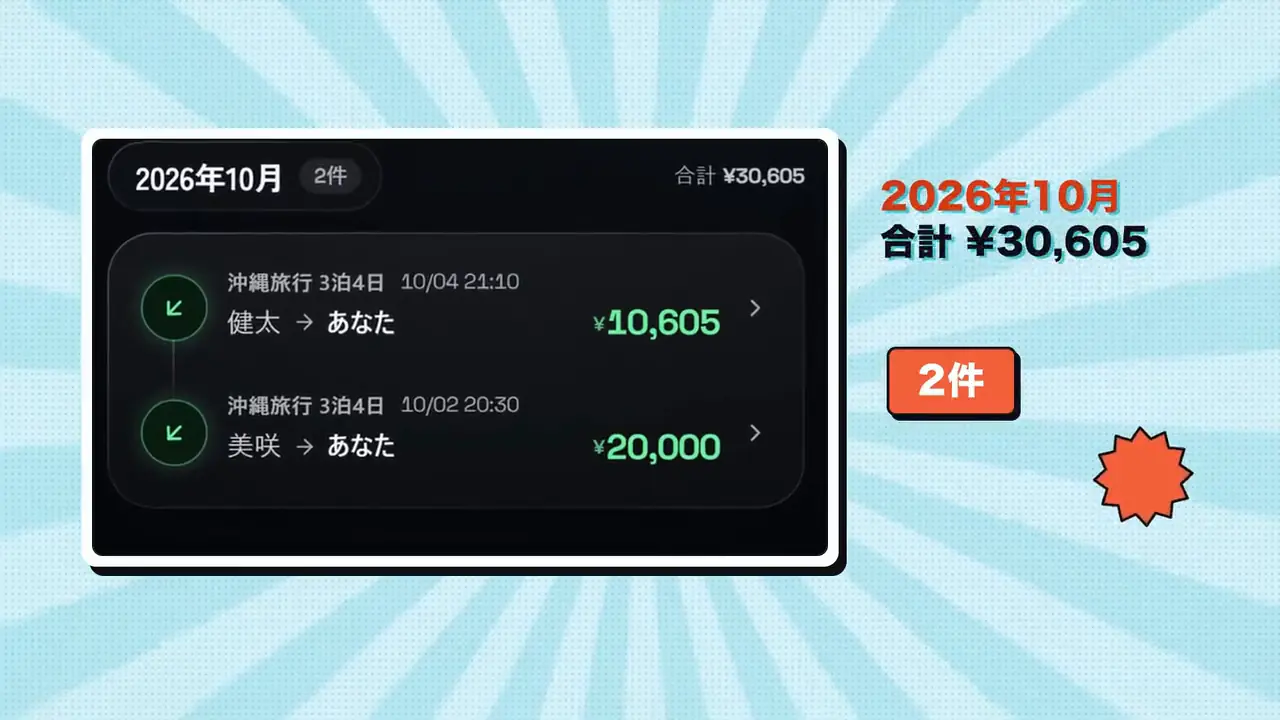
Monthly settlement history
Settlements can be checked month by month.
It also shows the totals you have paid and received.
How it works
After making a group and adding members
Add a payment
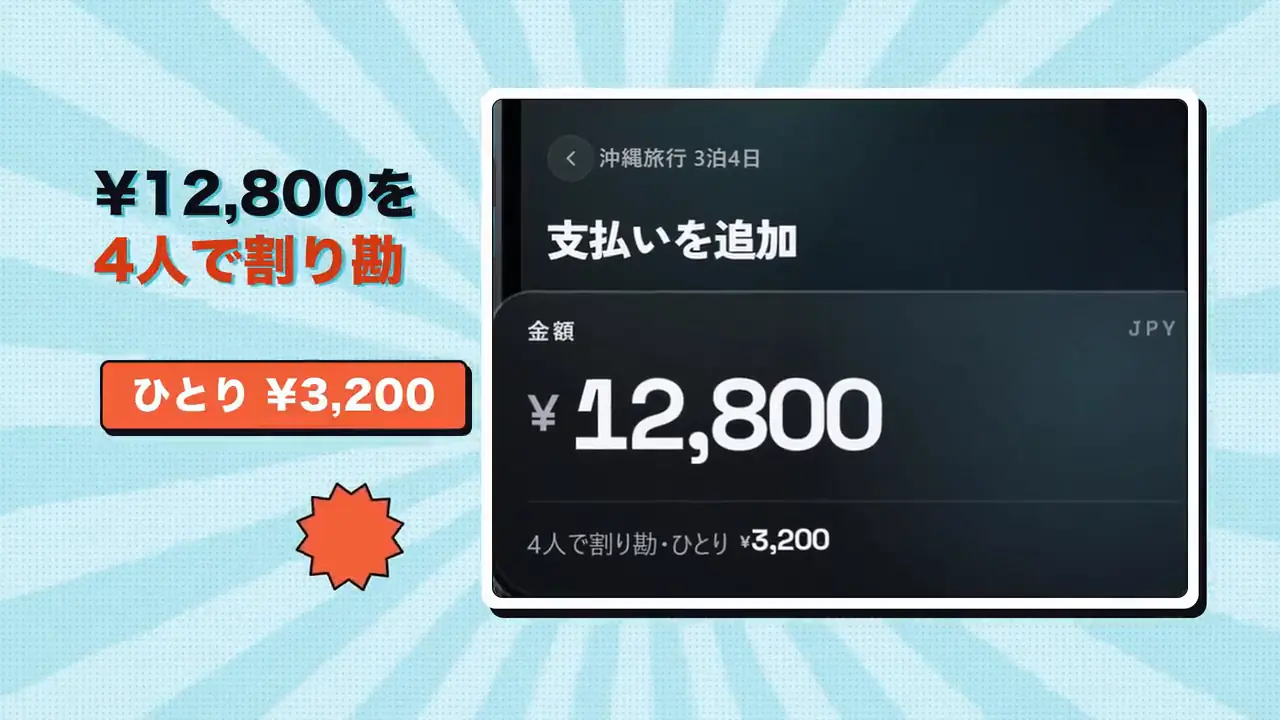
Use "支払いを追加" (Add payment) to enter who paid how much and who shares the cost.
Choose to split equally, by set amounts or by ratio.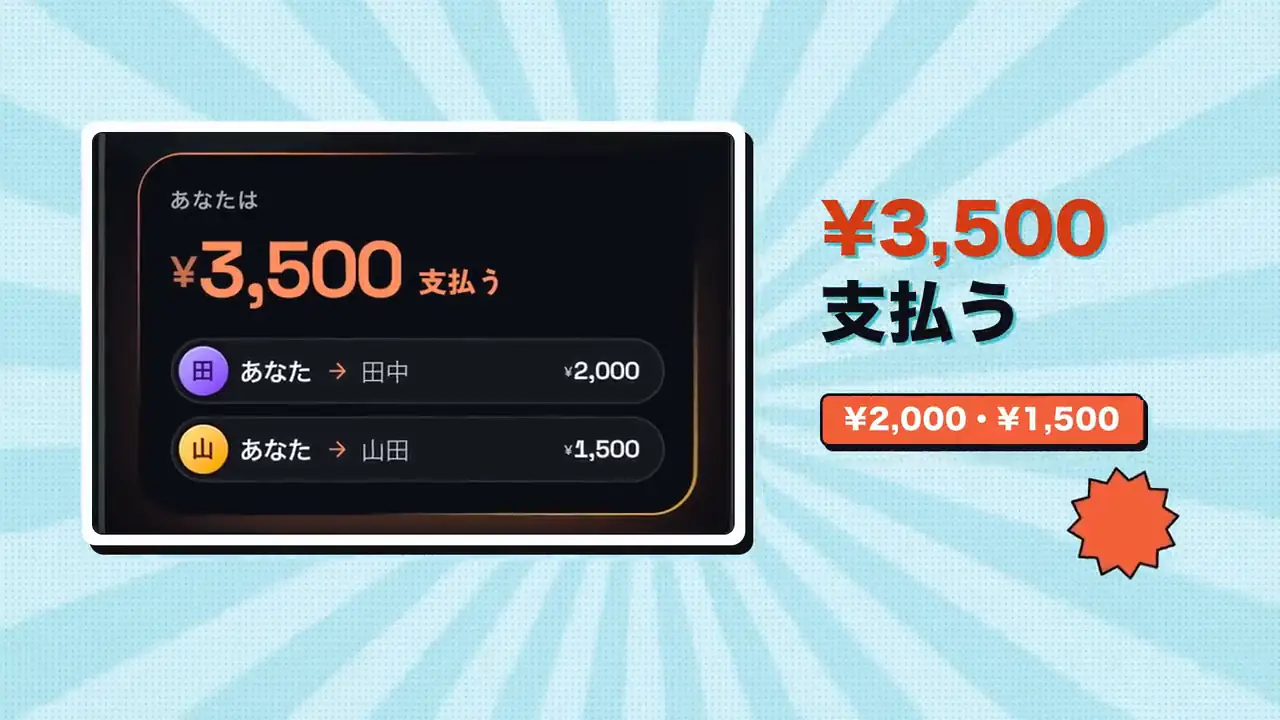
See what you owe and to whom
The group screen shows how much you pay or receive.
It also shows whom to pay.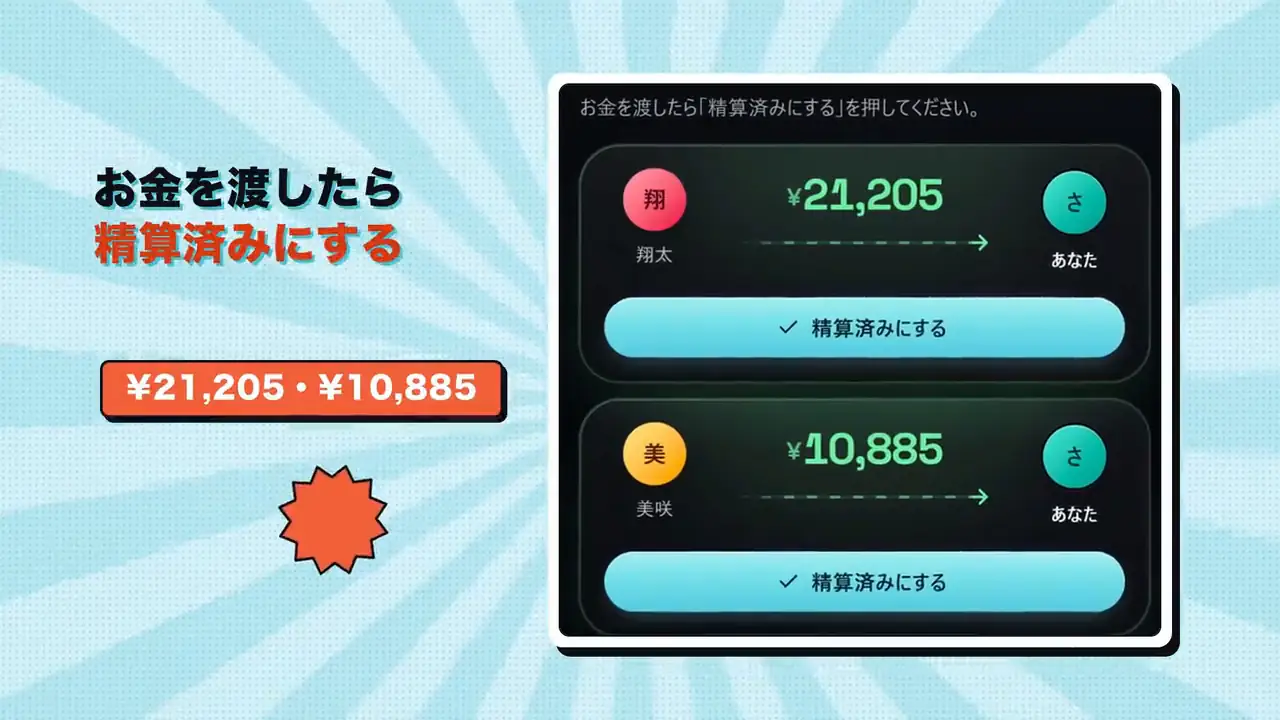
Mark it as settled
Once the money has been handed over, tap "精算済みにする" (Mark as settled) on the settlement screen.
If you tap it by mistake, "元に戻す" (Undo) puts it back to unsettled.
Who it's for
- Organizers who paid for the whole drinking party and want to split it exactly
- Trips where different people paid for the hotel, transport and meals
- Housemates who want to settle shared supplies and utility bills each month
Screenshots
Pricing and availability
- Where to get it
- App Store
- Price
- Free (Japanese App Store)
- Platforms
- iPhone (iOS 15.0 or later), Japanese only
Maker

The copyright notice on the App Store reads Katy Games.
FAQ
What ways of splitting are there?
There are three: equal, set amounts and ratio.
Equal divides the cost evenly among the people sharing it, and ratio divides it in proportions such as 2:1:1.
With set amounts, the shares must add up to the amount paid.
Can I send money in the app?
No. SEPPAN has no money transfer or payment features.
Members hand over the money among themselves, in cash or with a money transfer service.
What happens to amounts that do not divide evenly?
All amounts are calculated in whole yen.
With an equal split, the leftover yen are added one at a time starting from the first member in the list.
For example, 10,000 yen split among three people becomes 3,334, 3,333 and 3,333 yen.
SEPPAN
A bill-splitting app that works out who pays whom and how much from the shared expenses you record
Visit the official page